Add a new recipe
Use this when you want a new recipe in the app’s list (not on the shopping list yet).
Demo URL: https://demo-angular-22-wgdt.free.ccpve.co.za
Important: New recipes are stored only in memory. If you refresh the page or log out, recipes you added are gone. Built-in recipes always come back on refresh.
Steps
Step 1 — Open Recipe Book and sign in
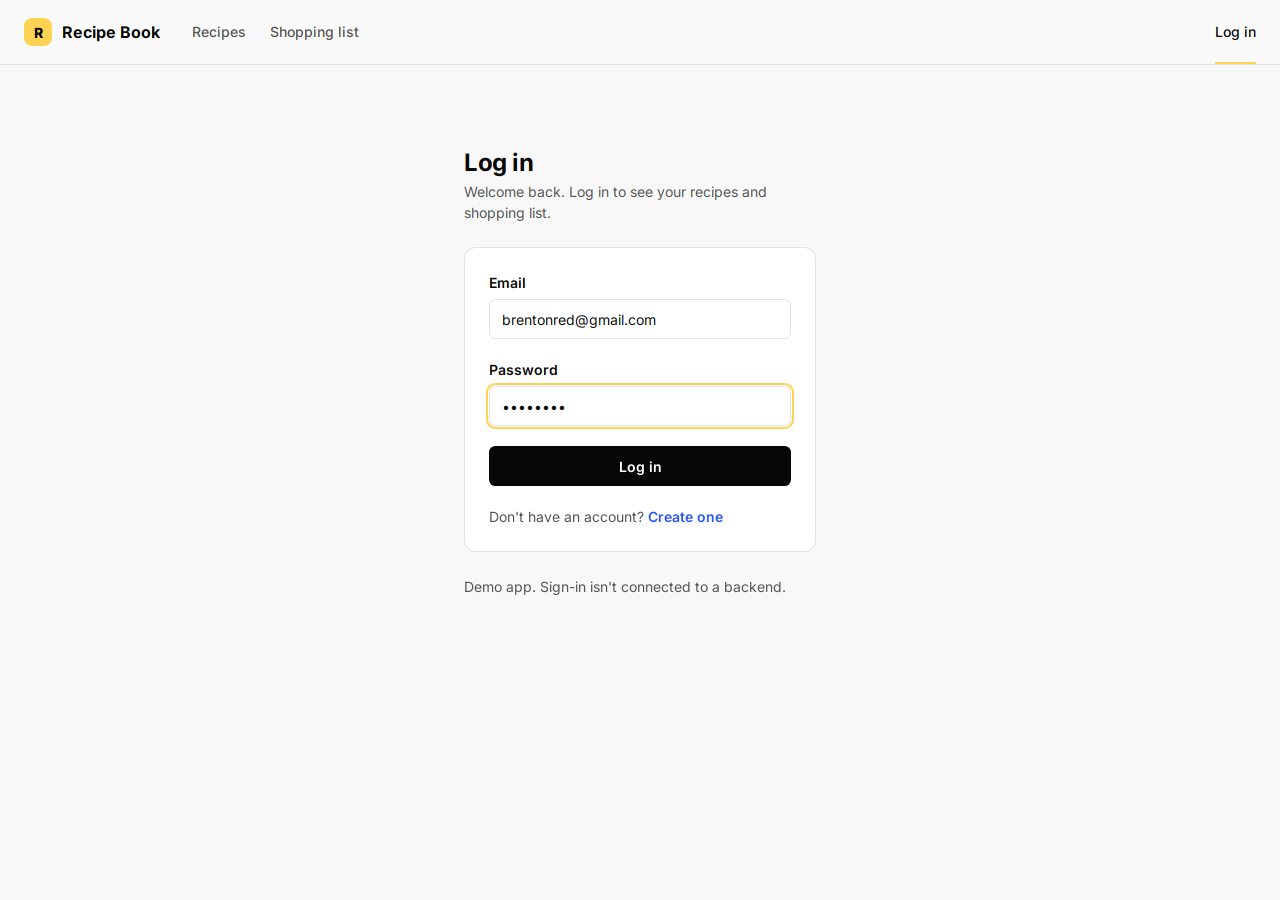
- Open the demo URL. You see the Log in page.
- Type any Email and Password (the demo does not check them).
- Click the blue Log in link inside the white card (not the small Log in tab in the top-right header).
You land on Recipes.
Step 2 — Start a new recipe
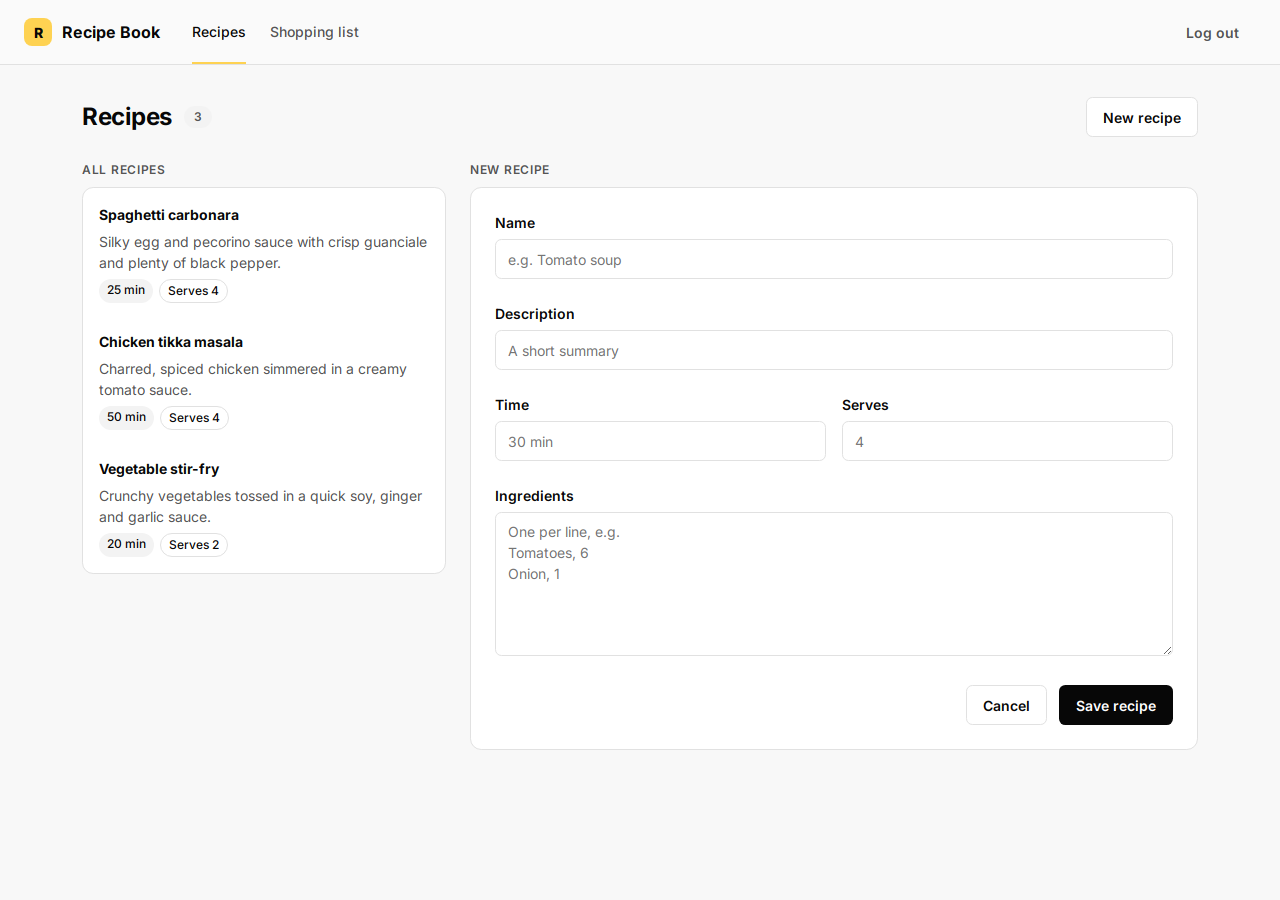
On the Recipes page, find the New recipe button at the top (next to the recipe count chip). Click it.
The right side changes from Details to a form labeled New recipe with empty fields.
Step 3 — Fill in the recipe fields
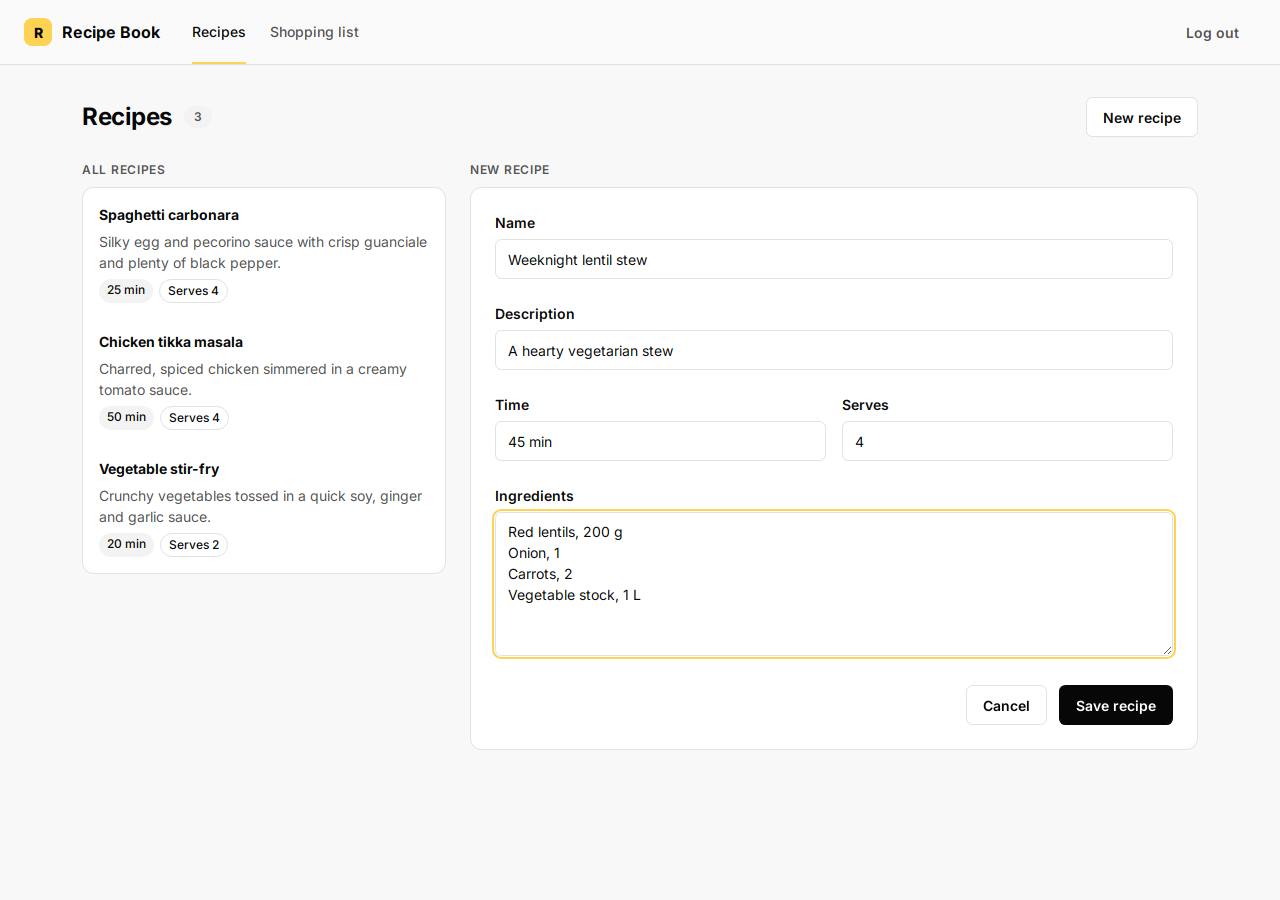
Fill every field you care about:
| Field | What to type | Example |
|---|---|---|
| Name | Recipe title (required) | Weeknight lentil stew |
| Description | Short summary | A hearty vegetarian stew |
| Time | How long it takes | 45 min |
| Serves | Number of people (digits only; the app adds “Serves ”) | 4 |
| Ingredients | One ingredient per line, format: name, amount | See below |
In the Ingredients box, put one line per ingredient. Use a comma between the ingredient name and the amount:
Red lentils, 200 g
Onion, 1
Carrots, 2
Vegetable stock, 1 L
If you leave amount empty after the comma, the app uses 1 for that line.
Leave Name empty and Save recipe will do nothing — you must enter a name.
Step 4 — Save the recipe
Click the blue Save recipe button at the bottom right of the form.
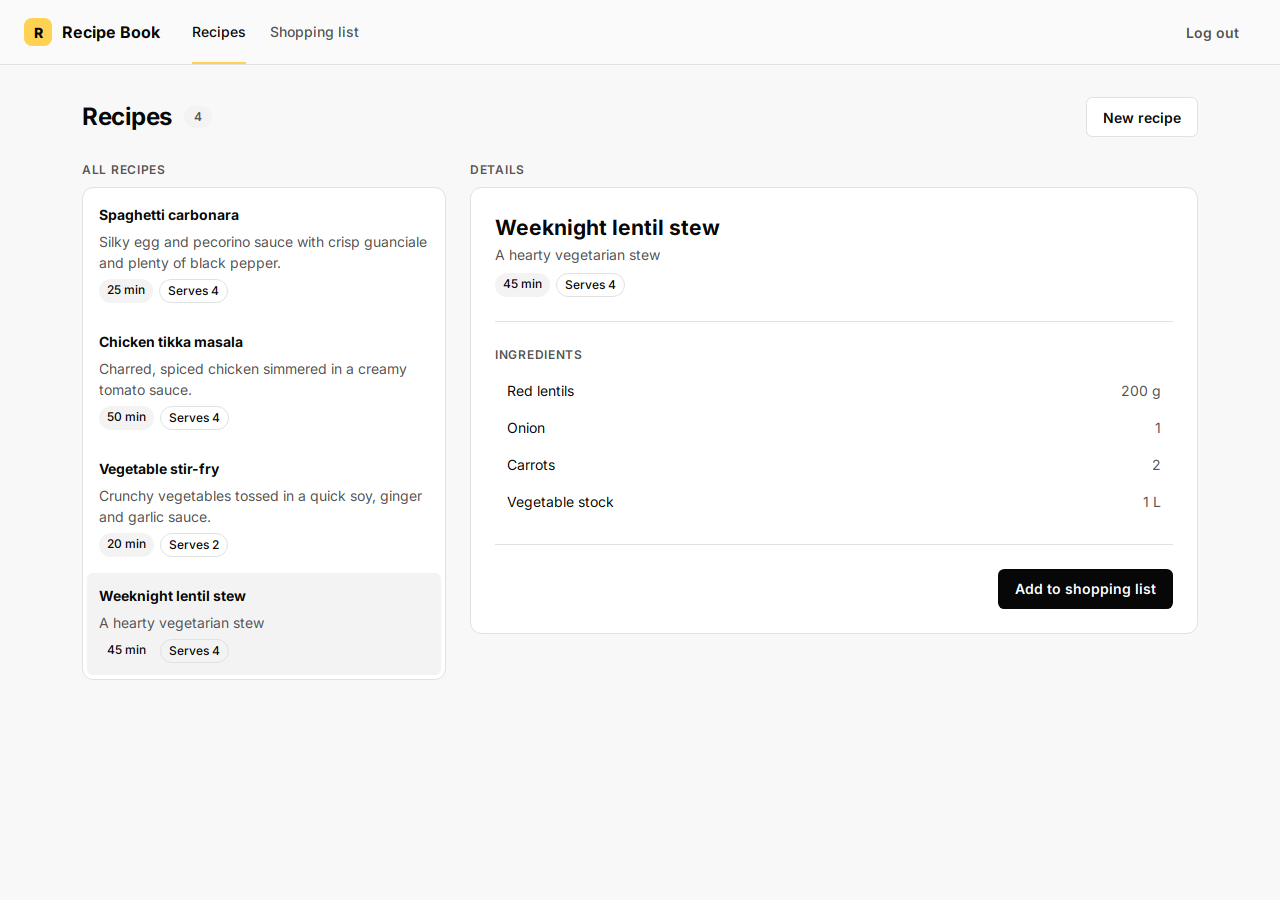
Success looks like this:
- The form closes and Details shows your new recipe.
- Under All recipes on the left, your recipe appears in the list (usually at the bottom).
- The recipe count chip at the top increases by one.
To discard without saving, click Cancel instead.
Step 5 — Optional: add ingredients to the shopping list
With your recipe selected in Details, you can click Add to shopping list to copy its ingredients to Shopping list. See the guide Add a recipe to your shopping list.